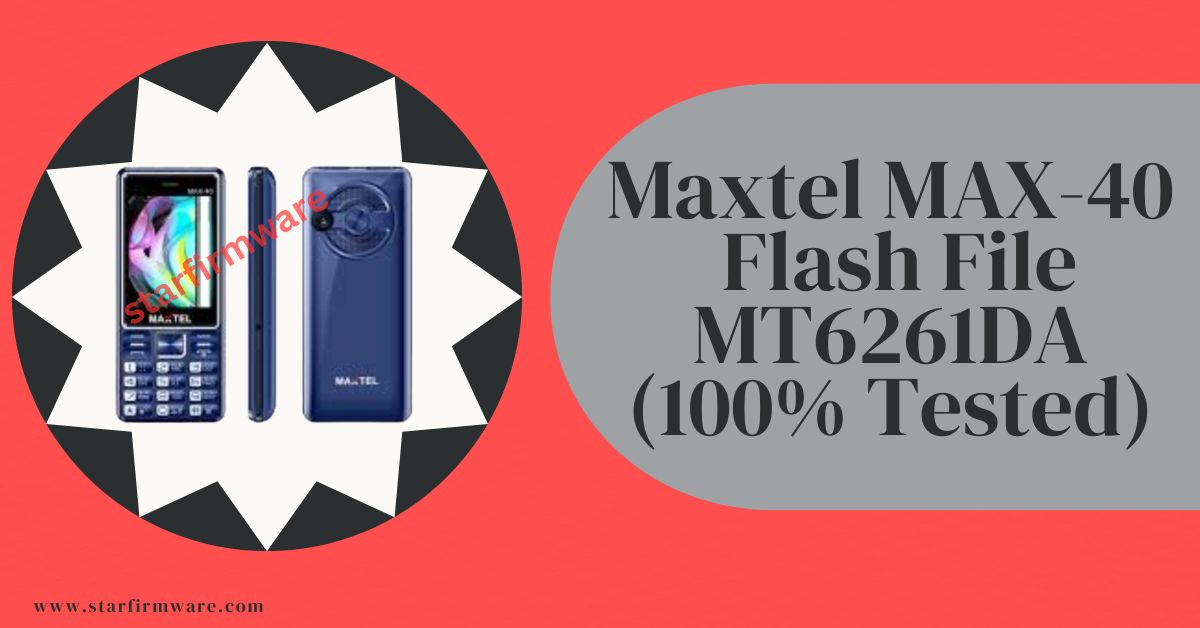

Honorable visitor, are you searching for the Maxtel MAX-40 Flash File? You’ve come to the right place. Here is a link to gather all the materials to install the stock firmware. For example, all the information including the flash tool, USB drivers, and flashing guide are clearly mentioned. So that you can understand everything about it before downloading the Maxtel MAX-40 Flash File. Follow the paragraphs below for details.
Maxtel MAX-40 were launched in the year 2024. The cell phone came out of the box with a MediaTek chipset. After taking this device, some users were facing software related problems. For the mobile device software-related issues are common. Instead, it is a simple minor issue on your device, so no tension. So, here’s everything you need to know about fixing the Maxtel MAX-40 firmware related problems using the troubleshooting strategies mentioned below.
The Maxtel MAX-40 Flash File, you can use it to fix almost all the software related problems to your mobile device. Such as: Dead Mode Recovery, Hang LCD, Black or White Display, Re-install, Downgrade, Upgrade, Pin Code Remove, Privacy Code Unlock, Password Unlock, Repair IMEI, Full Flash after Hardware Change etc.
Overview
Maxtel mobile phones are the most popular devices due to their affordable, elegant device and impressive features specifications. But oftentimes some users come across situations where they need to re-install a flash file to recover their device from several software issues. such as hang logo, dead recovery, forgotten password or corrupted stock firmware. On this page, we will share step-by-step guidance to install firmware flash files on Maxtel MAX-40 phones, and need all required.
In addition, we are scanning the Maxtel MAX-40 Flash File package with a powerful Antivirus to ensure security issues, after saving it by reading from a new mobile phone with the Chinese Miracle (CM2) update tool. Also, we have provided our website after testing by our skilled technicians. So you can download and use our Maxtel MAX-40 Flash File without any doubt. Hopefully the desired result awaits you.
Why Choose StarFirmware?
StarFirmware understands that flashing a device can be quite a difficult task for you. That’s why we ensure every single firmware flash files in this website meets safety standards and high performance:
Verified and 100% Tested: Every flash file is thoroughly scanned and tested by our technical team to guarantee, it is free from malware and completely safe to install.
Official Firmware’s: We always try to provide authentic, original official stock firmware directly from the manufacturers. Which to keep your mobile device running exactly as intended, how a phone works right after unboxing.
Step by Step Instructions: Most of our Maxtel MAX-40 flash file packages come with the necessary Flash tool, USB drivers, and easy to follow installation guide. Which to minimize your extra trouble and the risk of bricking.
Super Fast Downloads: No more dealing with broken links or painfully slow third-party hosting sites. We always share a Google Drive link to download zip packages, that confirms safe download. Get your Maxtel MAX-40 flash file on your computer instantly when you need them.
Firmware Advantage
- Fix dead recovery issue
- Update after change CPU/ic
- Fix LCD screen
- Fix graphics issues
- Re-flash the stock firmware
- Unbrick Stock Firmware
- Fix boot loops issues
- Upgrade or downgrade issues
- Fix network issues
- Root/unroot your device to fix bugs
- Unlock your mobile phone
- Resolve Hang Logo issue
- Key disable software issue
- Restore device warranty
The Maxtel MAX-40 Flash File helps to you solve all the software issues.
Download Maxtel MAX-40 Flash File (Stock Firmware)
Here is a direct link to download Maxtel MAX-40 Flash File (Stock Firmware). From which you can easily download your desired flash file. But yes, before downloading, read all the information part of the stock ROM carefully.
Firmware Details
| Firmware Name | Maxtel MAX-40 |
| Hardware | MediaTek |
| Chipset/ic | MT6261DA |
| File Type | BIN |
| File Size | 4MB |
| Download Type | RAR/ZIP |
| Boot Key | No Need |
| Supported Tool | Chinese Miracle and Others |
| Firmware Status | 100% Tested |
Please Attention: Before download the Maxtel MAX-40 Flash File on your device, please re-check again the software version of above firmware details” section and mobile photos. If you are sure it’s perfect for your device, then you can download and install this firmware package without any hassle.
Remember: Once accepted, it will no longer be considered refundable.
XC_61D_XT_H95A_K01_MAX_40_PCB01_gprs_MT6261_S00.H95A_K01_MAX-40_MAXTEL_240320_V01_240320
Read Also: All Keypad Phone Flash File (Stock Firmware)
How to Flash
You can flash with any box device tool in the Maxtel MAX-40 flash file. If you don’t know how to install or flash firmware files or you don’t have the tools, you can easily follow our rules without any kind of device. See the requirements section to find all the things you need.
Re-require
- A Windows PC or laptop.
- An advanced quality USB cable.
- A USB driver software that will help connect Windows and mobile devices.
- A flash tool for Windows compatibility.
Steps to Install
In this guide, I will show you the steps to install the Stock Firmware on your Maxtel MAX-40 mobile device. These include the option to flash, repair, re-install, unlock, remove, dead mode, downgrade, upgrade, and others, Likewise, you could also choose from the options.
However, in some illustration, it might face a few issues which in process will be incomplete to flash the device. But on the plus side, there exists a handy procedure to install the flash file on your Maxtel MAX-40 device. Let’s start with how it could be achieved.
- Download and extract the Maxtel MAX-40 Flash File on your PC ready for install.
- Install USB drivers on your windows.
- After installing, open the Flash Tool on your Windows PC.
- Go to the Flash section on your tool.
- Click to check the mark on WRITE.
- Next select the chipset model MT62xx.
- Now click on the WRITE FLASH tab. (If you use the Miracle tool, press the START button).
- Click and Hold boot key on mobile keypad (No want to use Miracle Boot JIG).
- Connect your mobile device to the PC via USB cable.
Now! Your firmware installing process has started, wait until it is finished flash.
How to Safely Flash
Before flashing the Maxtel MAX-40 Flash File, make sure to follow below essential pre-flashing steps to safe device hardware from dead mode:
- Take Backup: Before installing the Maxtel MAX-40 Flash File (Stock ROM) take a complete backup of the Firmware and personal Data of your device. However all data will be erased or deleted by flashing the firmware.
- Check Model Number: Matches your exact device model number, Firmware version, Release year, Build number and region code. Otherwise, installing mismatched firmware can permanently brick your device.
- Find Issues: The mobile phone company officially releases the mobile device and Stock firmware. It helps to recover the mobile phone device, for example, Unlock bootloop, Privacy Lock, Dead Recovery, Remove Hang Starting Logo, and any of the Software issues.
- Charge Battery: Your device should be at least 70% charged so that it doesn’t accidentally turn off during the firmware installation process.
Browse our collection above to find the exact software version you need, and restore your device to peak performance today.
Reboot the Phone
It is very important to reboot the device once the firmware installation is complete, as it replaces the Maxtel MAX-40 firmware files and prepares it for reactivation. Network issues can occur after installing a stock ROM and can be caused by corrupted cache, default apps, bootloader errors, etc.
Sometimes, you may need to turn off the phone and leave it idle for a few minutes and then turn it back on. It may take a few seconds for the phone to immediately connect to the available network and activate basic functions. It turns out that rebooting the device can also help in this case.
Conclusion
If you follow all the rules I have shown, you can easily flash without any box. Inshallah.
Also, if you have any more questions regarding flashing this phone, please let us know in the comments, we will try to provide an easy answer. I will try to reply as soon as possible. Thank you.